Showing posts with label KiwiFireStorm. Show all posts
Showing posts with label KiwiFireStorm. Show all posts
Tuesday, 7 March 2017
**** Brand New CT Tag for FwTags Creations & Digi Divas Store - Cupid ****
This stunning Kit contains 70 Elements, 7 Frames & 8 Papers.
Tube used is the Matching Tube, Cupid from KiwiBG.
Kit can be purchased HERE
Tube can be purchased HERE
Please do not save these Tags, They was made for the Kit Designer & Tube Artist Only.


Saturday, 12 July 2014
****New CT Tutorial for Amy Marie - Julia****

Now for the Tutorial
This tutorial is written with the assumption that you have working knowledge of PSP.
It was written by Dance In The Rain on 12th July 2014 & is intended for educational purposes only.
Supplies:
Scrap Kit: Julia by Amy Marie's Kits found HERE
Tube: MCVT by KiwiFire Storm found HERE
Font of Choice - I used Sex & Candy.
Mask made by me and you can save it.
It was written by Dance In The Rain on 12th July 2014 & is intended for educational purposes only.
Supplies:
Scrap Kit: Julia by Amy Marie's Kits found HERE
Tube: MCVT by KiwiFire Storm found HERE
Font of Choice - I used Sex & Candy.
Mask made by me and you can save it.

♥ Lets get started ♥
For the Drop Shadow on everything except the tube I am using the following settings:
Vertical: 1
Horizontal: 2
Opacity: 100
Blur: 3.00
Color: Black (You can use any color you wish)
Remember to save everything as you go along in order not to lose it in case of a crash.
DNR means Do Not Resize.
C&P means Copy & Paste.
DS means Drop Shadow.
I am using the following elements frames & Papers:
* PP20 - DNR
* Element 20 - DNR
* Element 21 - Resized to 65%
* Element 61 - DNR
* Element 44 - Resized to 125%
* Element 18 - Resized to 75%
* Element 6 - DNR
* Element 4 - DNR
* Element 52 - Resized to 50%
* Element 24 - Resized to 50%
* Element 45 - Resized to 50%
You can look back at my image for placement of elements.
Open Paper 20 (DNR)
Open Mask in a different window (DNR)
Click on Paper 20 window and go to Layers, New Layer Group, Click ok.
Click on Layers again & New Mask Layer, From Image.
In the source window click on the Mask Layer. Click ok.
C&P Element 20 on to your mask layer.
DNR. Apply Drop Shadow & Position.
C&P Element 21 on to your image.
Resize to 65%. Position & apply Drop Shadow.
C&P Element 61 on to your image.
DNR. Position & apply Drop Shadow.
Duplicate Element 61.
Flip Horizontally.
Position & Apply Drop Shadow using the following settings:
Vertical: 1
Horizontal: 1
Opacity: 50%
Blur: 3.00
Color: Black
C&P Element 44 on to your image.
Resize to 125% and position. NO Drop Shadow.
Make sure you have changed your Drop Shadow settings back to normal.
C&P Element 18 on to your image.
Resize to 75% and position. Apply Drop Shadow.
Duplicate Element 18.
Flip Horizontally.
Position & Apply Drop Shadow.
C&P Element 6 on to your image.
DNR and position. Apply Drop Shadow.
C&P Element 4 on to your image.
DNR. Flip Horizontally. Position & Apply Drop Shadow.
C&P Element 52 on to your image.
Resize to 50% and position. Apply Drop Shadow.
C&P Element 24 on to your image.
Resize to 50% and position. Apply Drop Shadow.
C&P Element 45 on to your image.
Resize to 50% and position. Apply Drop Shadow
C&P your Tube on to your image.
Resize to 50%. Position & Apply TUBE Drop Shadow.
Tube Drop Shadow Settings are:
Vertical: 3
Horizontal: 3
Opacity: 100
Blur: 3.00
Color: Black
We are almost done now.
Add your name. I used font size 36 and color White with an outline color Purple (#612546).
I have also applied a Drop Shadow using the TUBE settings.
Add your copyright info, License number & Merge Visible.
Save & you're done. Simply & Easy.
I would love to see what you make using my tutorial.
Thank you for following my Tutorial & I hope you enjoyed it.
If you have any questions please feel free to email me at danceintherain1990@gmail.com
For the Drop Shadow on everything except the tube I am using the following settings:
Vertical: 1
Horizontal: 2
Opacity: 100
Blur: 3.00
Color: Black (You can use any color you wish)
Remember to save everything as you go along in order not to lose it in case of a crash.
DNR means Do Not Resize.
C&P means Copy & Paste.
DS means Drop Shadow.
I am using the following elements frames & Papers:
* PP20 - DNR
* Element 20 - DNR
* Element 21 - Resized to 65%
* Element 61 - DNR
* Element 44 - Resized to 125%
* Element 18 - Resized to 75%
* Element 6 - DNR
* Element 4 - DNR
* Element 52 - Resized to 50%
* Element 24 - Resized to 50%
* Element 45 - Resized to 50%
You can look back at my image for placement of elements.
Open Paper 20 (DNR)
Open Mask in a different window (DNR)
Click on Paper 20 window and go to Layers, New Layer Group, Click ok.
Click on Layers again & New Mask Layer, From Image.
In the source window click on the Mask Layer. Click ok.
C&P Element 20 on to your mask layer.
DNR. Apply Drop Shadow & Position.
C&P Element 21 on to your image.
Resize to 65%. Position & apply Drop Shadow.
C&P Element 61 on to your image.
DNR. Position & apply Drop Shadow.
Duplicate Element 61.
Flip Horizontally.
Position & Apply Drop Shadow using the following settings:
Vertical: 1
Horizontal: 1
Opacity: 50%
Blur: 3.00
Color: Black
C&P Element 44 on to your image.
Resize to 125% and position. NO Drop Shadow.
Make sure you have changed your Drop Shadow settings back to normal.
C&P Element 18 on to your image.
Resize to 75% and position. Apply Drop Shadow.
Duplicate Element 18.
Flip Horizontally.
Position & Apply Drop Shadow.
C&P Element 6 on to your image.
DNR and position. Apply Drop Shadow.
C&P Element 4 on to your image.
DNR. Flip Horizontally. Position & Apply Drop Shadow.
C&P Element 52 on to your image.
Resize to 50% and position. Apply Drop Shadow.
C&P Element 24 on to your image.
Resize to 50% and position. Apply Drop Shadow.
C&P Element 45 on to your image.
Resize to 50% and position. Apply Drop Shadow
C&P your Tube on to your image.
Resize to 50%. Position & Apply TUBE Drop Shadow.
Tube Drop Shadow Settings are:
Vertical: 3
Horizontal: 3
Opacity: 100
Blur: 3.00
Color: Black
We are almost done now.
Add your name. I used font size 36 and color White with an outline color Purple (#612546).
I have also applied a Drop Shadow using the TUBE settings.
Add your copyright info, License number & Merge Visible.
Save & you're done. Simply & Easy.
I would love to see what you make using my tutorial.
Thank you for following my Tutorial & I hope you enjoyed it.
If you have any questions please feel free to email me at danceintherain1990@gmail.com
Monday, 10 February 2014
****NEW CT ALERT****
I am pleased to announce I am now CT (Creative Team) Member for Scrapz N Pleazure
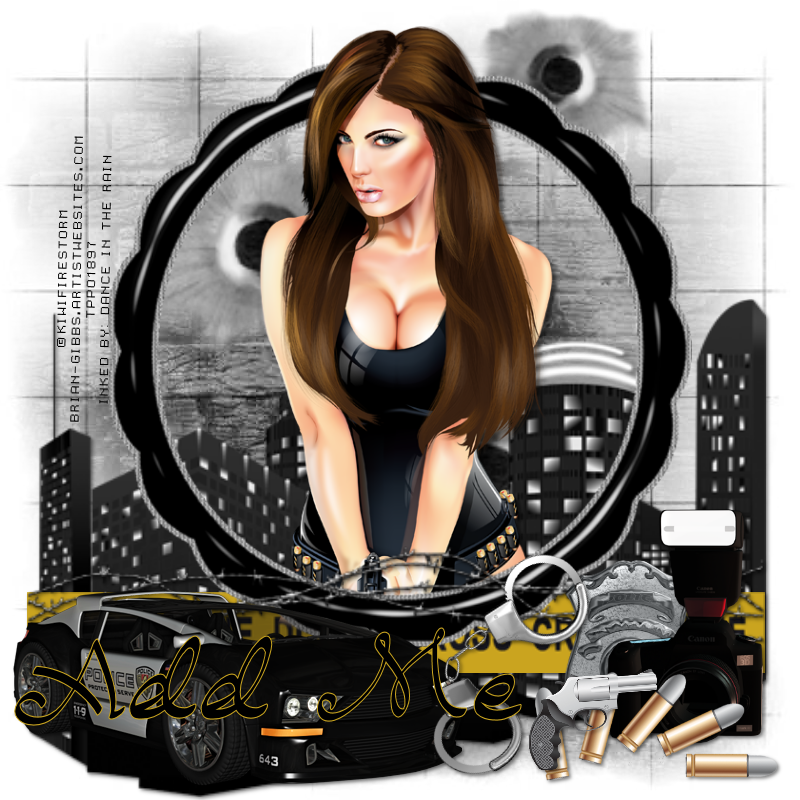
For these 1st tags I have used her gorgeous kit, Crime Scene. I has loads of potential.
Kit can be purchased HERE
Tube used is By KiwiFire Storm.
Tube can be purchased HERE
The template used is By Millie's PSP Madness.


CT tags for the Kit Designer.


Tags for the Tube Artist

Tag for the Template Designer.

Crime Scene Scrap Kit.
Now for the FTU (Free To Use) Tag Extras.
NO ADDING NAMES OR ELEMENTS
Personal Use ONLY!


Sunday, 15 December 2013
Hi everyone, me again.
I want to announce that I am now CT (Creative Team) Member for Kizzed By Kelz
I am over the moon to have joined & have already started working on kits.
I have used the kit Santa Babe for these tags - This kit is perfect
for this festive season.
Tube used is What Do You Want For Christmas by KiwiFireStorm & Can be found HERE
I have also done some tag extras for you to use for PU ONLY!
There is to be NO adding of names or elements to tag extras.
Enjoy!

CT Tag for the Kit Designer.

Santa Babe Scrap Kit.
Now for the FTU (Free To Use) Tag Extras.
NO ADDING NAMES OR ELEMENTS
Personal Use ONLY!


Tuesday, 26 November 2013
Hi everyone, me again.
I want to announce that I am now CT (Creative Team) Member for Kizzed By Kelz
I am over the moon to have joined & have already started working on kits.
I have used the kit Yes Officer for these first tags - This kit is perfect
for those Naughty tags.
Tube used is Hot Shot by KiwiFireStorm & Can be Purchased at The PSP Project.
I have also done some tag extras for you to use for PU ONLY!
There is to be NO adding of names or elements to tag extras.
Enjoy!


CT Tags for the Kit Designer.

Yes Officer Scrap Kit.
Now for the FTU (Free To Use) Tag Extras.
NO ADDING NAMES OR ELEMENTS
Personal Use ONLY!




Subscribe to:
Posts
(Atom)